Online safety · for families, classrooms & grandparents
Internet safety rules for families: be safe online, the way you taught them to cross the street.
Not with fear, and not with a forty-page PDF. The internet safety rules below are the ones families actually keep: a few house rules, screens set up properly, and the kind of conversation that happens at dinner. Being safe online is a household habit, not a product you buy.

Which screen are we setting up tonight?
30 seconds · no signupThe house rules
Ten rules that survive contact with a real family
Short enough to remember, blunt enough to argue with. Stick them on the fridge and let the arguing happen there.
Most internet safety rules fail because they are written for a policy document instead of a kitchen. These ten are phrased the way a parent would actually say them, and every one of them is a rule an adult has to keep too; that is the part that makes them work. Print them, cross one out, add your own; internet safety rules that a household has argued over are the ones that get followed.
Six of the ten are below. Each one comes with the reason it is phrased that way, and the printable version, on the rules page.

Screens live in shared rooms
You are not the last to know
Real names, real photos, real addresses stay home
Friends online are strangers until they are not
Money asks a grown-up
Screens have a bedtime
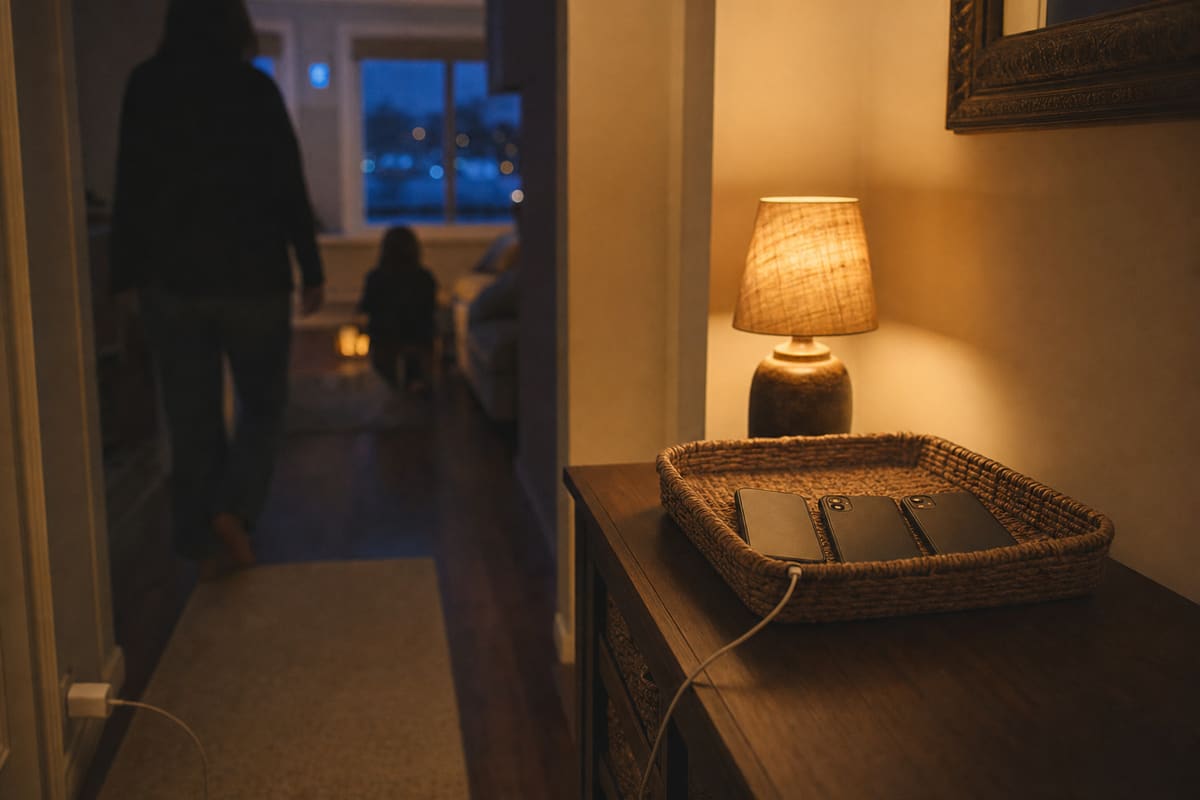
An ordinary evening
What internet safety looks like on a Tuesday
Not a control panel. An evening that goes well, where the screens have their place and the people have theirs.




One house, four windows
Guidance for families, classrooms and the armchair
The same internet arrives differently in every room, and families rarely need the same answer twice. Pick your window; the advice inside is written for you, not for a committee.

Parents
Age-by-age guidance, controls that hold, and what to do when something already went wrong. This is where most online safety for parents starts and stalls; it does not have to.
Window 02 · the studyTeachers
Lesson-ready quizzes, printable posters and certificates. Free, no login, and nothing marketed to your class.
Window 03 · upstairsKids & teens
Written to you, not about you. Group chats, footprints, and what to do when the internet gets weird.
Window 04 · the armchairGrandparents
The scams aimed at you are scripted. Learn the handful of scripts and they stop working — large print included.
Tools, not lectures
Ways to be safe online, starting tonight
Every tool runs here in the page: no account, no email gate, no PDF that dies in your downloads folder. Twenty minutes with the right one does more to help a household be safe online than an evening of reading.
Parental controls wizard
Pick the device, pick the age, get the exact menu path in order. Screen Time, Family Link, PlayStation, TikTok pairing and the rest, kept current so you are not following a menu that no longer exists.
Internet safety quiz and certificate
Ten questions, instant marking, and a printable certificate with the pupil’s name on it. Answer key for the teacher.
Start the quiz → For teens · five minutesDigital footprint quiz
What does the internet already know about you? Score yourself before somebody else does it for you.
Check your footprint → For grandparentsScam identifier
Answer three questions about the message you were sent and the scam gets a name and a next step.
Identify a scam → For the whole houseScreen time calculator
An age-based starting point, then a family media agreement everyone signs, including you.
Build the agreement → For kids · fun, honestlyPassword game
Watch a computer guess an obvious password in under a second, then build a passphrase it cannot.
Play it →Scam radar
What is knocking on doors this month
The scripts change small details and keep the plot. Current patterns, dated, each with the one tell that gives it away.
The "grandchild in trouble" call
A panicked voice, a lawyer who takes over the line, a courier sent for cash. The tell: a real emergency never forbids you to hang up and call back on a number you already have.
Targets · 60+ Sep 2026The missed-parcel redelivery fee
A text about a package you nearly received, a link, and a fee small enough not to argue with. The tell: the fee is trivial because the card details are the product.
Targets · everyone Aug 2026Free in-game currency, real password
Generator sites promising game currency in exchange for a login. The tell: a platform never hands out its own currency somewhere else.
Targets · kids Aug 2026The relationship that cannot video-call
Weeks of warmth, then a crisis that needs money moved quickly. The tell: there is always a fresh reason the camera does not work.
Targets · adultsAs of September 2026 · Patterns drawn from public advisories by the US Federal Trade Commission and the FBI Internet Crime Complaint Center.
Every screen in the house
Setup guides, platform by platform
Menus move. Each guide carries the date it was last walked through, so you can tell at a glance whether it still matches what is on your screen.

For the classroom
Friday’s lesson, sorted by Thursday night
- A ten-question quiz with instant marking and a named, printable certificate
- A poster pack for the wall: the ten house rules, print-ready, no login
- Answer keys and two age variants, for younger and older primary classes
- A digital-footprint starter for the older ones that does not feel like a lecture
For grandparents
The window they knock on hardest
Fraud against people aged sixty and over is the fastest-growing corner of this whole subject, and almost every case begins with a message that looked ordinary.
- The scam identifier: three questions, and the scam gets a name and a next step
- A printable one-pager to leave by the phone, in large print
- What to do in the first hour if money has already moved

Asked at our kitchen tables too
Honest answers to the awkward ones
Should I secretly read my child’s messages?
Covert reading usually buys one discovery and costs the trust that would have brought you the next ten. Controls you set together, out in the open, hold better, and the house rule that telling never makes it worse does what monitoring cannot. If you do decide to supervise a young child’s device, say so plainly and show them what you can see.
What is the right age for a first phone?
There is no age that answers it, but there is a right setup for each age. A nine-year-old on a locked-down account is in a better position than a fourteen-year-old with nothing configured at all. Start from what the phone is for: walking home, a group chat, a camera. Open up only what that needs. The controls wizard asks for the age band and gives you the matching steps.
Is a parental-controls app enough on its own?
No, and that is worth saying from a site that will happily walk you through setting one up in ten minutes. Controls hold the door. The conversation decides what happens at a friend’s house, on a friend’s phone, on the school bus. Do both: the technical setup once, the talking regularly.
My child saw something disturbing. Did I already fail?
No. Most children will eventually see something they should not, whatever you configure. What decides the damage is the next ten minutes: stay calm, do not punish the telling, and talk about it in plain words. That reaction is a skill, and it is learnable. Learning it is most of what internet safety for parents really means.
Where do I start if I only have twenty minutes?
Set up the one device your child uses most, using the guide for that exact platform, then read the ten house rules aloud at dinner and pick three to agree on tonight. That is a real evening’s progress. The rest keeps: the other screens, the quiz, the scam scripts.
Who writes this site, and how is it funded?
Guides are dated on every page and re-checked after platform updates, because a menu path that has moved is worse than no instructions at all. The editorial standards page sets out how the site is funded, what it will not accept, and how a guide gets corrected when a reader finds it wrong.

How this works
The light stays on, and the guides get re-checked
A safety guide is only as good as the menu it describes. Platforms move settings, rename them, and occasionally hide them behind a new app, which is how so much advice on this subject quietly stops being true.
So each setup guide here carries the date it was last walked through on a real device, in order, from the first tap. When a platform ships an update that moves something, the guide changes and the date changes with it. Nothing on this site asks you to sign up to read it, and nothing is written to be frightening. You can be safe online without being scared of it, and so can your children.
That is the whole method: current instructions, plain language, and no attempt to sell you a subscription on the way through. Online safety for parents fails far more often through out-of-date advice than through missing advice, which is why the dates matter more here than the word count.